Technical Prerequisites
The Cascade Search relies on data collected by the tracking mechanism. If you’re not seeing anything under the ElasticSuite > Search Analytics screen, it’s likely you’re having an issue with collecting behavioral data.
You should head to the Troubleshooting section of this documentation before going further.
Installing the module
The module responsible for the cascade search is smile/module-elasticsuite-cascade-search and this module is available as part of the Elasticsuite Premium package [1, 2]. You might need to install it manually prior to going further.
Configuring the Cascade Search
Once the module is installed, you can go to Stores > Configuration > ElasticSuite > Cascade Search suggestions
General configuration
If you want to enable the cascade search, you will have to set Enabled=yes but also to pick the locales corresponding to the websites you’re willing to display cascade suggestions for.
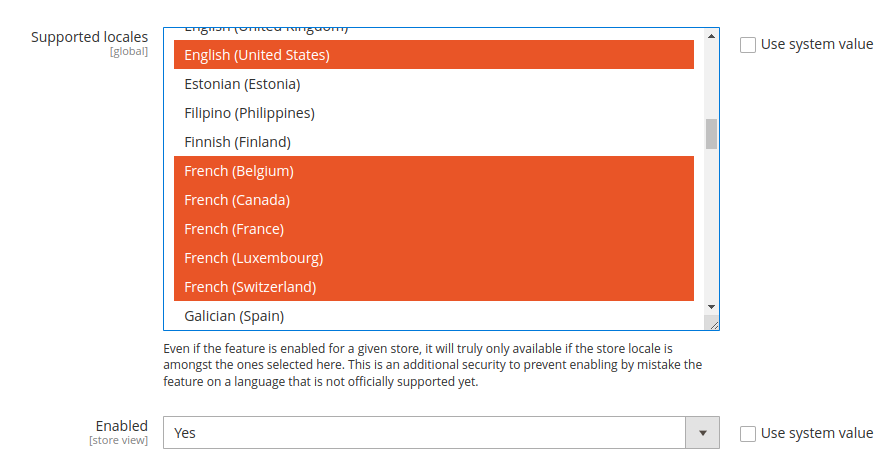
⚠️ Language Support Note: By design, the cascade search works out-of-the-box for common romance languages (French, Italian, Spanish, Portuguese, etc.) and English. While an implicit word delimiter parameter has been added in recent versions for better analysis, it might still require additional configuration for languages that rely heavily on word composition (like German and Dutch), where adding a word decompounder step in your analysis configuration may be required.
Frontend Configuration
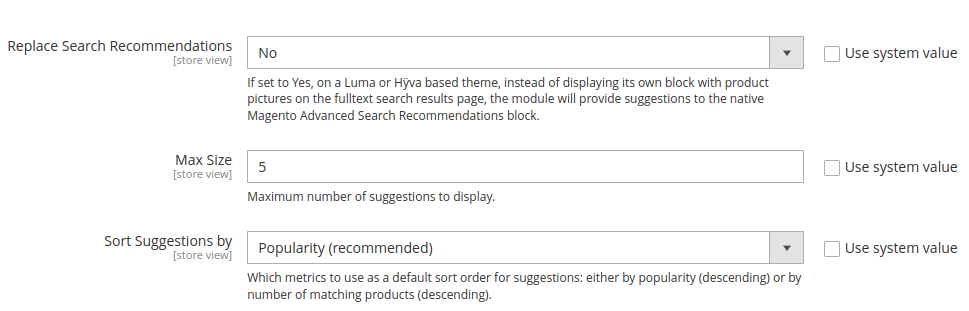
Here you can configure the number of suggestions displayed and how they should be sorted.
We recommend leaving the “Replace Search Recommendations” parameter to “No”.
Note: The frontend display is dynamic. Each suggestion is visually decorated with the best matching product for that term, and the suggestion block will automatically hide itself when there are no longer finer suggestions popular enough to be displayed.
Additional Configuration
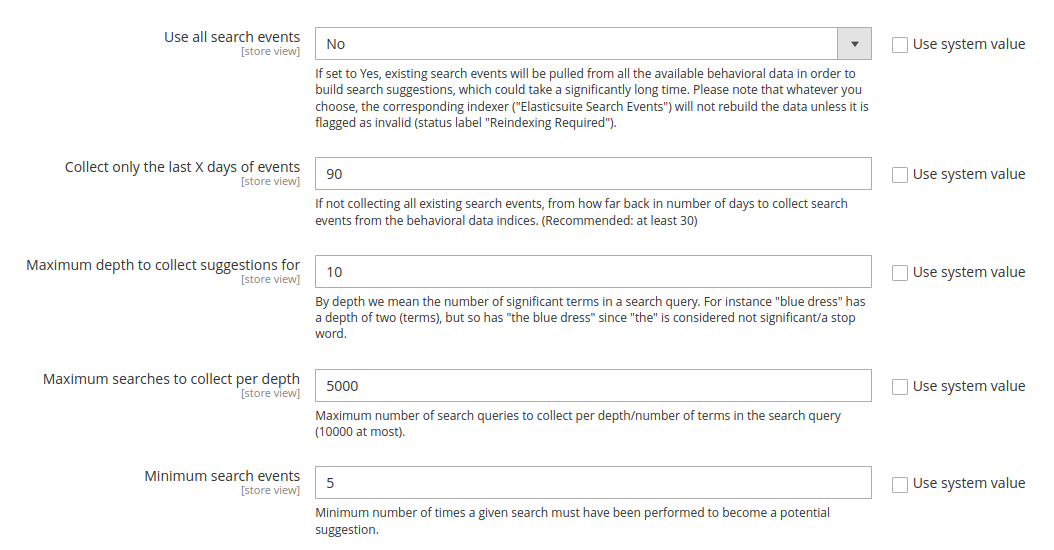
The default values are recommended and should rather not be edited.
Computing the suggestions (Post-Installation)
Because Cascade Search aggregates and analyzes popular searches based on your Elasticsuite Tracker retention delay, it relies on two dedicated indexers: elasticsuite_search_events and elasticsuite_search_suggestions.
Before suggestions can be shown on the frontend, you must configure these two indexers to “Update by Schedule”.
Furthermore, because building the events index can be very resource-intensive, the elasticsuite_search_events indexer is protected from accidental rebuilding requests. It must be manually reset to an “Invalid” state before you can trigger the initial reindex.
Tweaking of the suggestions
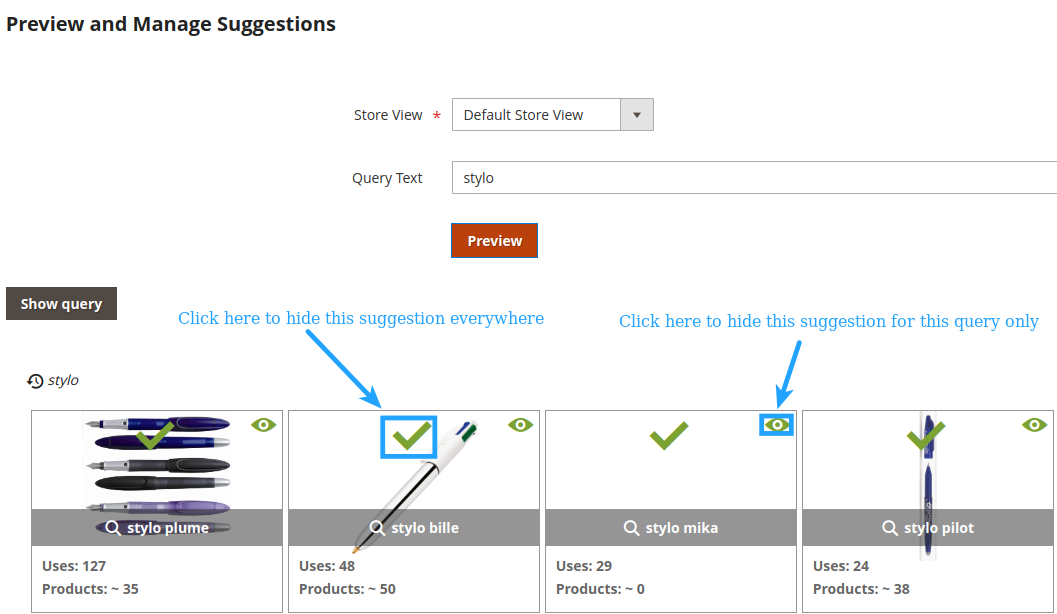
Once you’re seeing suggestions in the frontend, you can go to the ElasticSuite > Preview and Manage Suggestions screen. Here, you’ll be able to get the list of suggestions for a given query term, and to fine-tune them by either hiding them globally or for this query only.